A good 3D preview can grab a client's attention. But delivering the actual asset is a different story. Questions arise about where the model will run, which details need to be perfect, and who will fix it if the system shows it differently.
For a Nigerian creative business working on digital displays or interactive content, these questions are key during the quoting process. AI-generated 3D models offer another way to create assets, but the end result depends on the work done before acceptance.
Define the Job Before Choosing the Tool
Think about a sample brief for a web-based promotional scene. The client wants a unique decorative object that visitors can rotate. The studio must provide the model to a web developer who will integrate it into an existing webpage.
The deliverable should be clearer than just “one 3D model.” It’s important to agree on how the object should look, the allowed viewing angles, the devices it will be viewed on, the delivery format, and the review process.
It should be clear if the asset is an actual product or a made-up design. A fictional object allows for some creativity. A real product needs accurate proportions, features, and branding.
Also, make sure to separate the asset from the overall experience. Providing a model does not mean building the viewer, hosting the file, or keeping the website running.
Make Acceptance Observable
Set clear acceptance criteria that the recipient can check. Saying “high quality” doesn’t help if the artist and client have different views on what that means.
For the promotional scene, both sides might agree that the model must work in the specified viewer, keep approved materials, and be responsive on certain test devices.
Delivery requirement
Evidence for review
Approved appearance
Reference views showing the agreed shape and materials
Correct orientation and scale
Inspection in the destination viewer
Complete asset package
File opened from a clean delivery folder
Suitable runtime behaviour
Results from agreed devices and test conditions
Permitted use
Recorded reference permissions and asset licence
Maintainable handover
Editable source and clearly defined delivery scope
These criteria should be set before the studio gives a final price. They also help to distinguish between a defect and a new request.
Place AI Generation Within the Production Budget
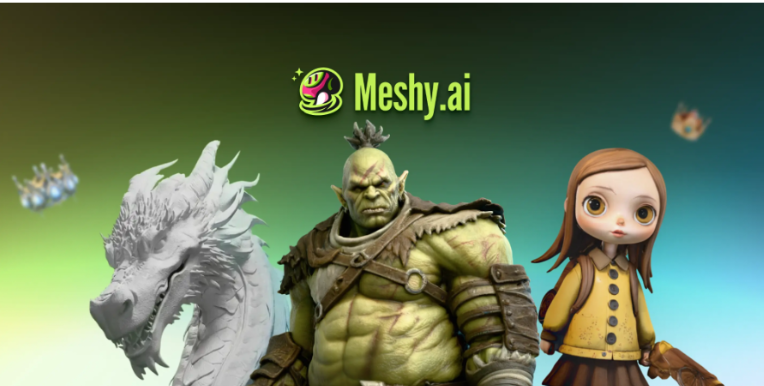
Once the brief is clear, the studio can decide how to create the first version. Meshy, an AI 3D model generator, makes meshes from text or reference images that artists can check and develop further.
This means generation is just one step in the job. The chosen result may still need changes to hidden surfaces, shape, materials, or geometry before it meets the brief.
Test one sample asset before pricing a bigger collection. Note which problems are easy to fix and which need major rebuilding. A good pilot ends with an asset that works in the right viewer. Just counting generated options does not show the cost of delivering an approved result.
Track the Work That Follows Selection
Keep the selected generation and edit a separate working copy. Note the changes needed to meet the brief.
For a rotatable object, the back and bottom need attention because users can see them. A nice front view does not make up for a bad back.
Materials also need careful checking. See if a dark spot is part of the intended surface or a lighting issue in the texture. Inspect small details at the distance the audience will use.
When simplifying geometry, compare versions in the target environment. Keep features that define the object’s identity and check for texture stretching or shading changes after simplification.



Validate the File, Then Test the Experience
For glTF or GLB delivery, the Khronos glTF Validator checks if the file meets the glTF standard and reports any issues.
Fix relevant errors and look into warnings before handing over. Save the report with the asset version so the developer knows which file was checked.
Validation has a set scope. It does not confirm that the object matches the client’s reference, loads quickly on all devices, or has the right usage rights.
Open the delivered file in the actual viewer and repeat the agreed tests. Check rotation, materials, orientation, and responsiveness. If mobile access is needed, include the specified phones and connection conditions in this review.
Quote for Revisions and Integration
A fixed fee should say how many review rounds are included and what each round covers. A colour change and a new shape need different amounts of work.
Identify who will handle integration problems. If the file passes the agreed checks but the website uses an unsupported material, the studio and developer need a plan to fix that issue.
Record model preparation, testing, client review, and handover separately in the internal estimate. For international work, note the payment currency, milestone amounts, and any agreed responsibility for transfer charges.
Avoid promising savings just from quicker generation. Compare the total work needed for an accepted asset with any other production method available to the studio.
Keep Permission and Licensing Attached to the Asset
Get permission before uploading any confidential client designs or third-party reference material. Just because a client has an image doesn’t mean they can use it for everything.
On Meshy, the free plan is enough to generate and preview models, but downloading them needs a paid plan. A paid plan also allows the studio to keep the output private. Include the subscription in the quote and note which plan the delivered file came from.
Record how any required attribution will be included in the final experience. Giving a licence note to the developer helps only if it’s clear who is responsible for including it.
Check platform terms alongside permissions for the source material. They answer different questions.
Close the Job With a Reproducible Handover
Deliver from a clean folder and ask the developer to open that copy. This shows any missing resources or dependencies that might be hidden on the artist’s machine.
Include:
- The approved asset and necessary resources.
- Editable source files included in the contract.
- Preview images and version identifiers.
- Validation and destination-test records.
- Licence, attribution and reference-permission notes.
- Known limitations and agreed support arrangements.
The client should understand what has been accepted, and the next person should be able to use it without starting over.
For creative businesses looking at AI 3D tools, this is what matters: a clearly defined asset, tested in its intended setting, and handed over with the information needed to use it.



Drop your comment
No comments yet — be the first to drop the gist 👇