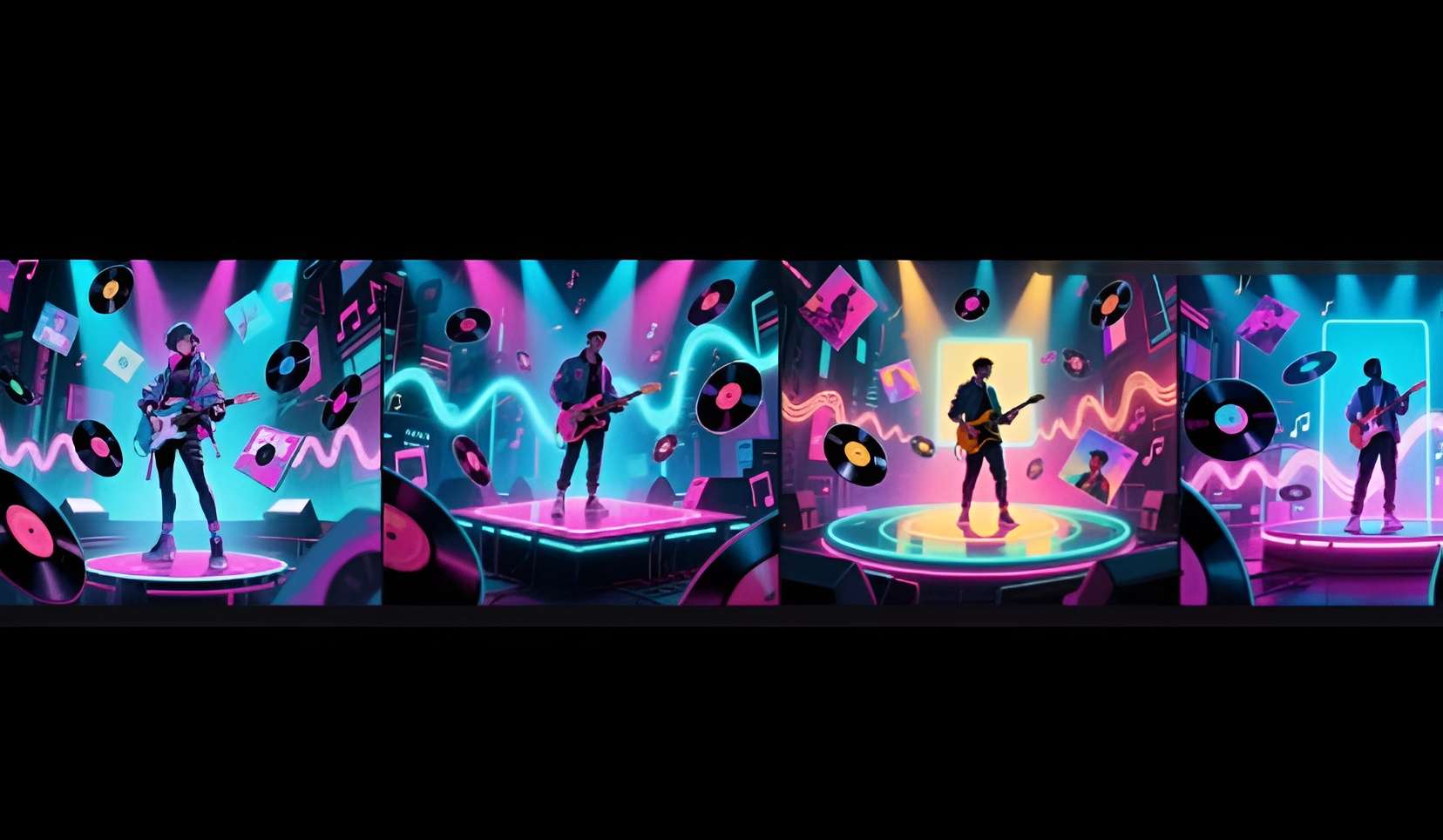
Releasing music is more than just putting a song on a streaming site. It involves building excitement, creating a unique visual style, and giving fans a reason to listen. Today, artists need a lot of visuals before their music reaches listeners.
This is why many musicians and marketers are turning to AI video generation. Apps like Dreamina and tools like Seedance 2.0 4K are making it easier to create promotional videos. Musicians can quickly turn their ideas or album cover art into engaging videos without spending weeks on it.
Every album release needs quality promotional materials and fresh ideas.
Turning Music into Visuals
Music is full of feelings, images, and stories. Album promo videos are a great way to show the emotions in the music.
For indie artists, visuals might include sparkling cities and memories. Rappers could have energetic visuals that capture city life. Electronic music may feature futuristic and immersive images.
Making these visuals used to be hard without a big budget. But with Seedance 2.0, you can create videos from your text or images without spending a lot.
Why Seedance 2.0 is Ideal for Music Videos
There are not many AI tools for artists needing video storytelling. Promo videos must show emotion, rhythm, and style.
Here are some reasons why Seedance 2.0 is great for this:
- smooth and realistic movements
- consistent art style in scenes
- cinematic camera movements
- detailed environments and textures
- high-quality image-to-video conversion
- strong storytelling with smooth scene transitions
For artists, it means making promotional content that supports their brand and music.
Making Videos from Album Artwork
The first thing people notice about an album is its cover. It shows the artistic idea and feelings behind the music.
With Seedance 2.0, artists can turn their album covers into promo videos.
Imagine a fantasy album cover becoming a lively scene or a neon-lit city turning into a cinematic experience. The art comes alive, more detailed and engaging, without needing complicated animation.
This way, artists can expand their creative vision across all their promotional efforts.
Dreamina’s Guide to Making Videos
Step 1: Set Up Your Ideas
First, go to Dreamina, log in, and click on the “AI Video” tab. Then, hit the “Add reference image” button to upload your picture and type your prompt. If you want to use a text prompt, skip the image part.
Example prompt: The kaleidoscopic patterns swirl and pulse with energy. The melting clocks drip slowly. The astronaut floats gently across the cosmic scene. The colors shift and blend into each other, creating a mesmerizing, trippy visual experience. The camera slowly zooms into the center of the kaleidoscopic explosion.
Step 2: Let Dreamina Create the Video
After entering the needed info, choose the Seedance 2.0 model. Then, set the video length and choose the aspect ratio, either 16:9 for YouTube or 9:16 for TikTok. Finally, press the Dreamina logo, and your video will be ready in seconds.
Step 3: Polish and Share Your Video
You can enhance your video with editing options from Dreamina, like the “Upscale” feature to improve quality or the “Generate Soundtrack” option to add music. Once you’re happy with it, download and share it on your social media.
What Makes Dreamina Seedance 2.0 Special
Feature
Dreamina Seedance 2.0 Mini
Dreamina Seedance 2.0 4K
Video quality
Better visual effects than Seedance 2.0 and Seedance 2.0 Fast
Much clearer and detailed output
Cost efficiency
About 40% cheaper than the previous Seedance 2.0 model
High-quality output with improved visuals
Generation speed
Faster for both text-to-video and reference-to-video projects
Optimized for high-quality video production
T2V performance
720P text-to-video speed of about 1.84×, 2.32×
Supports high-resolution video with better detail
R2V performance
720P reference-to-video speed of about 1.96×, 4.15×
Gives clearer results from reference images


Best use cases
Quick, cost-effective content for social media and storytelling
Professional-grade cinematic videos and high-end productions
Building Excitement Before the Release
Successful album releases often start weeks before they are out.
Artists slowly share visuals or video clips about their albums. Videos are key for creating buzz and encouraging sharing.
Seedance 2.0 helps users make multiple promotional pieces.
Here are some examples:
• Announcement videos for new albums
• Countdowns
• Tracklist reveals
• Teasers
• Video previews for social media
• Ideas behind the tracks
Making Unique Visuals for Every Genre
Every music genre has its own style of visuals.
Pop music is bright and lively. Alternative artists focus on creating a mood. Classical pieces can look elegant, while electronic albums fit well in futuristic themes.
Seedance 2.0 adjusts visuals for different styles thanks to its good understanding of prompts.
It allows for tailored video content that matches the artist’s style without losing appeal.
Engaging Fans with Storytelling
People remember stories better than ads.
Instead of a simple announcement about album release dates, artists can share their story through videos created with AI.
For example, making a trailer to showcase the album's theme. Another idea is generating visuals based on lyrics or the feelings they evoke.
Such storytelling becomes more engaging with Seedance 2.0’s ability to create smooth scene transitions.
Trying New Campaign Ideas on a Bigger Scale
Marketing is about testing different ideas to see what fans like.
The traditional way of making videos can be expensive and time-consuming. But AI-generated videos help with this.
Seedance 2.0 mini allows artists to experiment with various video styles without spending too much time or effort.
This way, they can try different ideas and themes quickly.
Creating quality content that grabs attention can boost the chances of a successful campaign.
Reaching Fans Across All Platforms
Today, music promotion happens on many platforms at once.
Artists must create videos for TikTok, Instagram, Reels, YouTube, Facebook, and more. They also need to make videos for their streaming accounts and websites.
Seedance 2.0 can help make videos that fit different formats and platforms without losing quality.
Let Your Music Shine Before Fans Listen
Albums are not just collections of songs. They are entire experiences waiting to be explored. With Dreamina, artists can create these experiences using AI video generation.
Through storytelling, visual style, realistic movements, and creativity with Seedance 2.0, musicians can create exciting promotional videos. This can help them connect better with fans, create buzz on social media, and make every release feel special.
Drop your comment
No comments yet — be the first to drop the gist 👇